Claude for Excel: Talk to Your Spreadsheets, Get Real Answers
About the Course:
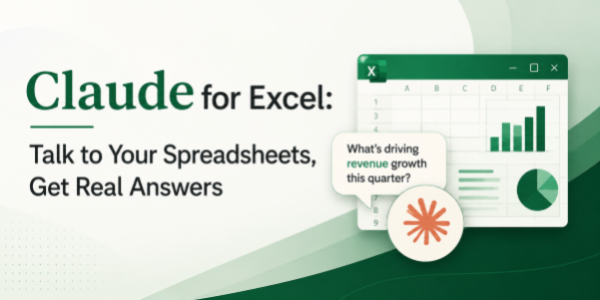
This 90-minute professional course offers a structured, application-focused introduction to Claude for Excel, Anthropic's Claude AI integrated as a sidebar inside Microsoft Excel. Participants will gain practical, working knowledge of how Claude interprets natural-language instructions to read spreadsheets, generate formulas, clean data, build pivot tables, create charts, and surface insights, all from within the Excel environment learners already use every day. The session is anchored in real workplace scenarios such as financial reporting, sales analysis, HR analytics, marketing dashboards, and operational MIS. Learners will leave with a clear mental model of when to use Claude for Excel, how to prompt it effectively, and how to embed it into their day-to-day spreadsheet workflow with confidence.
Why This Course?
Excel remains the single most widely used business application on the planet, and AI-native sidebars like Claude for Excel are now its biggest evolution in decades. However, professionals adopting AI inside Excel consistently report a sharp gap between curiosity and confident use. Most users are unsure how to phrase prompts, what Claude can actually do inside their sheet, or how it fits into their existing reporting workflow. This course closes that gap. It delivers a focused, practitioner-led walkthrough that converts unfamiliar AI capabilities into clear, repeatable spreadsheet habits, using the exact data, formulas, and reports learners already work with.
Why Now?
AI literacy is rapidly becoming a baseline professional expectation, comparable to how spreadsheet skills themselves became mandatory in the early 2000s. Anthropic's Claude for Excel sits at the leading edge of this shift, bringing AI directly to the place where most professional work actually happens, the spreadsheet. Individuals who can extract genuine value from these tools are increasingly favoured for promotions, project leadership, and high-visibility work. Acting now offers a clear first-mover advantage: establish AI fluency in the most data-intensive tool in your stack, position yourself as a go-to analyst on your team, and stay ahead of the steep learning curve that will soon become a standard expectation.
Course Objectives:
Upon successful completion of this course, participants will be able to:
- Navigate the Claude sidebar within Excel and understand its core capabilities and limitations.
- Apply natural-language prompts to clean, sort, transform, and standardise spreadsheets and large datasets.
- Generate accurate Excel formulas, including lookups, conditionals, and aggregates, without manual syntax recall.
- Construct charts, pivot tables, and summarised views directly from prompt-based instructions.
- Identify trends, anomalies, and key insights using Claude's analysis features inside the sidebar.
- Apply prompt-engineering best practices to ensure consistency, accuracy, and reusability across reports.
Who is the Target Audience?
- Working professionals across finance, sales, marketing, HR, operations, consulting, and program management.
- Business analysts, data analysts, and consultants who rely on Excel as their core working tool.
- Managers and team leads are responsible for dashboards, reports, and recurring data reviews.
- Learning & Development teams are evaluating Claude for Excel upskilling content for organisational rollout.
- Independent professionals and entrepreneurs who use Excel as their primary analytical environment.
Basic Knowledge:
- Functional familiarity with Microsoft Excel (workbooks, formulas, basic charts, pivot tables).
- Active access to a Claude account with Claude for Excel enabled is strongly recommended for hands-on practice.
- Day-to-day comfort using Excel on a personal or work computer (Windows or Mac).
- No prior experience with artificial intelligence, machine learning, or programming is required.
Introduction and Setup
- Course overview and Claude for Excel capabilities
- Installing and activating the Claude sidebar
- Interface walkthrough: data selection, chat panel, and output areas
- Understanding Claude's scope within Excel
Prompt Engineering Fundamentals
- Natural language vs. technical prompts
- Core prompt patterns for Excel tasks
- Specificity, context, and iteration techniques
- Common pitfalls and accuracy boosters
Data Cleaning and Preparation
- Standardizing text and dates
- Handling blanks, duplicates, and inconsistencies
- Splitting/merging columns and data validation
- Quick data profiling and quality assessment
Formula Generation and Automation
- VLOOKUP, INDEX/MATCH, SUMIFS, and nested logic
- Dynamic ranges and formula debugging
- Converting business questions to formulas
- Formula explanation and validation
Data Analysis and Insights
- Trend identification and outlier detection
- Variance analysis and performance summaries
- Cohort analysis and segmentation
- Plain-English insight generation
Visualization and Reporting
- Chart selection and creation from prompts
- Pivot table summaries and cross-tabs
- Conditional formatting and data tables
- Dashboard-ready output optimization
Integrated Workflow Challenge
- Real-world case: Finance report, sales dashboard, or operations MIS
- Complete workflow: clean → analyze → visualize → summarize
- Peer review of prompts and outputs
Wrap-up and Action Plan
- Key takeaways and daily workflow integration
- Scaling Claude across team workflows
- Resources for continued practice