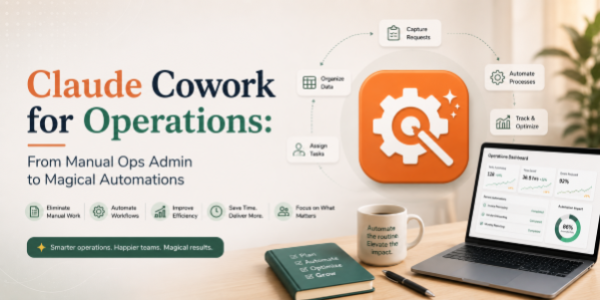
Claude Cowork for Operations: From Manual Ops Admin to Magical Automations
About the Course:
This 90-minute professional course offers operations teams a structured, role-relevant introduction to Claude Cowork, Anthropic's desktop AI tool for non-developers. Participants will gain practical, working knowledge of how to set up and use Cowork to organise ops files, work across operational documents, and automate recurring desktop workflows that traditionally consume hours during every operating cadence. The session is anchored in real operations scenarios, daily stand-up file management, ops review prep, SLA and MIS tracker handling, RCA documentation, governance pack organisation, vendor folder management, and recurring ops admin. Learners will leave with a clear mental model of when to use Cowork, how to prompt it effectively for operations use cases, and how to integrate it into their existing operating rhythm to compress cycle times and elevate the quality of execution.
Why This Course?
Operations functions sit at the intersection of process, data, documentation, and execution discipline, exactly where Claude Cowork delivers significant impact at the desktop layer. However, ops professionals adopting AI desktop tools consistently report a sharp gap between curiosity and confident use. Most are unsure how to apply Cowork to their specific workflows, what prompts to use, or where it fits inside their daily, weekly, and monthly operating rhythms. This course closes that gap. It delivers a focused, operations-led walkthrough that translates AI desktop capabilities into clear, repeatable habits across the exact tools and tasks operations teams already own.
Why Now?
AI literacy is fast becoming a baseline expectation for modern operations professionals, comparable to how Lean, Six Sigma, and process automation fluency became standard in the previous decade. Tools like Claude Cowork sit at the leading edge of this shift, bringing AI directly to the desktop and empowering ops teams to automate file, document, and admin workflows that historically required RPA tools, scripts, or extensive IT support. Acting now offers a clear first-mover advantage: establish AI fluency in one of the most process-heavy functions in the organisation, position yourself as a forward-thinking ops partner, and stay ahead of the steep learning curve that will soon become a baseline hiring expectation.
Course Objectives:
Upon successful completion of this course, participants will be able to:
- Install, configure, and confidently navigate Claude Cowork on a personal or work desktop environment.
- Apply Cowork to organise ops folders, perform bulk operations, and clean up tracker, review, and governance directories.
- Use Cowork to read, summarise, and extract content across ops documents, SOPs, RCA notes, review packs, vendor files, and audit trails.
- Automate recurring ops desktop workflows, filing, tagging, moving, formatting, routine admin, without writing code.
- Apply prompt-engineering best practices to ensure accuracy, consistency, and trust in Cowork's outputs on ops work.
- Identify suitable ops tasks for AI delegation and design lightweight, repeatable workflows for ongoing use.
Who is the Target Audience?
- Operations professionals across business operations, service delivery, supply chain, logistics, and shared services.
- Operations managers, team leads, and process owners are responsible for SLAs, MIS, governance, and reviews.
- Process excellence, BPM, quality, and continuous improvement professionals.
- Operations analysts, program managers, and PMO teams are driving operating cadences.
- COOs, ops heads, and L&D / transformation leaders evaluating AI desktop upskilling for the function.
Basic Knowledge:
- Functional understanding of core operations workflows (SLAs, MIS, SOPs, governance, reviews, escalations).
- Working comfort using a personal or work computer (Windows or Mac) and managing files and folders.
- A laptop where Claude Cowork can be installed is strongly recommended for hands-on practice.
- No prior experience with artificial intelligence, machine learning, or programming is required.
Welcome & Context Setting
- Align expectations and frame the transformation
Getting Started with Claude Cowork
- Build foundational comfort with the tool
Ops Folder & File Management
- Eliminate file chaos and create structured environments
Working Across Ops Documents
- Extract insights from heavy documentation instantly
Automating Recurring Ops Workflows
- Remove repetitive admin work completely
Prompting for Operations Excellence
- Get accurate, reliable, and repeatable outputs
Designing Your AI Ops Workflow
- Integrate Cowork into real operating rhythms
Live Ops Simulation
- Reinforce learning through a real scenario
Wrap-Up & Next Steps
- Drive adoption beyond the session